ImageJ and Fiji alternative
ImageJ is free, open-source image processing software, first developed at the US National Institutes of Health. Fiji is a distribution of ImageJ that comes bundled with plugins for life-science imaging. For many biologists it is the first image analysis tool they learn.
How do ImageJ and Fiji work?
You open images and process them step by step from the menus: adjust, threshold, separate touching objects and measure. Repeated steps can be recorded as a macro or written as a script and run on a folder of images. Both run as desktop applications on Windows, macOS and Linux.
Where ImageJ and Fiji work well
ImageJ and Fiji can follow cells over time in time-lapse movies, with plugins such as TrackMate. If you depend on a specific plugin, or want full control through your own scripts, they give you that. They work well for one-off image processing and figure preparation rather than repeated measurement. And they run on your own computer, so they work offline.
Common problems
Manual steps vary between people
Thresholds, regions of interest and settings chosen by hand differ between analysts and over time, so results are hard to compare.
Macros are fragile
Recorded macros and scripts often break with new images, plugin updates or a different computer.
Results are separated from the images
Results tables end up in a spreadsheet, so checking a population against its cells means going back through the images.
What a good alternative looks like
For a cell-based assay that runs again and again, the analysis tool should:
- 1Let you build an analysis without pipeline or scripting expertise, while keeping every step visible and adjustable.
- 2Run the same analysis on every batch, whoever runs it.
- 3Keep results linked to the images, so any population can be checked against its cells.
- 4Share the full analysis with colleagues, not only exported tables.
- 5Run without local software or compute to install and maintain.
Cytely: built for repeated assays
Cytely is a cloud platform for reproducible cell-based microscopy assays, built on the data-driven microscopy approach published in Cell Reports Methods.
Workflows without pipeline expertise
Start from a ready assay, describe your assay to the AI workflow builder, or build visually. Every step has a live preview and stays editable.
A custom workflow at no cost
If your assay needs something new, our image analysis team builds the workflow for you, at no cost.
The same analysis every time
Save a versioned workflow and replicate the experiment on the next batch of images, whoever runs it.
Results linked to the cells
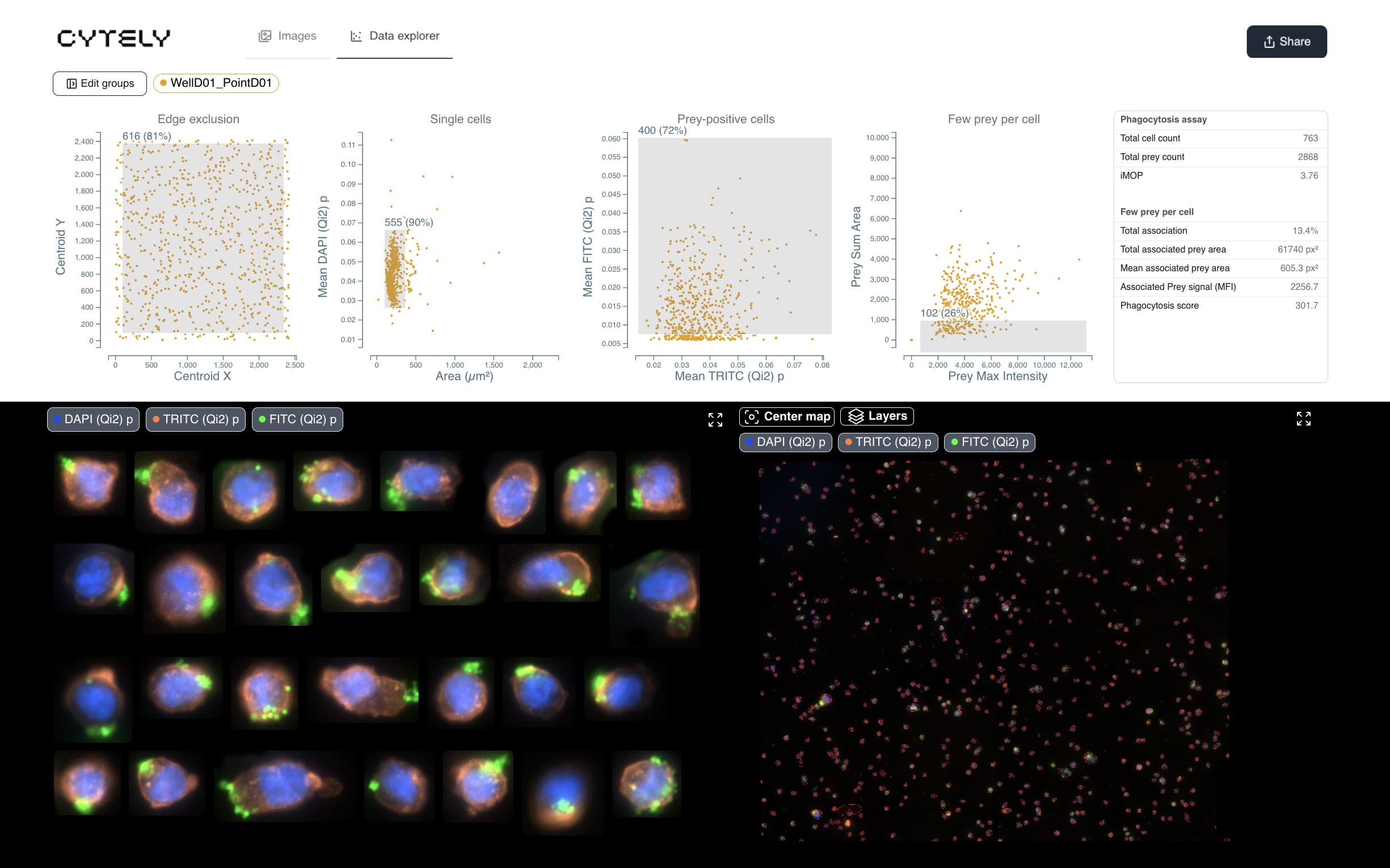
Gate populations on scatter plots, and the matching cells appear as crops and on an overview map of the sample.
Shared as a live analysis
Teammates work in the same datasets, and a link gives collaborators the interactive plots and gates, with no install or account.
Nothing to install or maintain
Cytely runs in the browser and processes the whole dataset in parallel in the cloud.
See how Cytely handles your assay
Questions
Does Cytely replace ImageJ or Fiji?
For repeated cell-based assays, many teams move that work into Cytely. Plenty of labs keep Fiji for one-off processing and figures.
Do I need to write code?
No. Start from a ready assay, use the AI workflow builder, or build visually. If your assay needs something new, we build a custom workflow for you at no cost.
Can I use my results in other tools?
Yes. Export a CSV with every measurement for every detected object, including which gate each object falls in.
Is Cytely free?
There is a free plan, and paid plans for individuals and teams. See pricing.
Where is my data stored?
In Cytely's secure cloud. Cytely is ISO/IEC 27001 certified and data is encrypted in transit and at rest. See security.
Try it on your own images
Start free with your own data, or book a session and we will set up your assay with you.